
Product updates
PromptBlox v2.0
More detailed worlds, better gameplay, and more control over how you build. Our biggest update yet.
In this release
- Four build-quality options: Light, Medium, High, and Ultra.
- Richer worlds with stronger similarity to your prompts and reference images.
- 84 new trees, plants, rocks, and cars for better-looking worlds.
- Better gameplay from the first build.
- Generation speed improvements that reduce repeated work.
- More focused refinements with clearer summaries of what changed.
- Saved drafts and continuation from retained progress.
- Game Graph to explore how your world and its systems fit together.
- Game imports and files as reference context.
- Usage allowances in place of fixed credit charges per build.
- Clearer free-access limits and reset information.
- A copyable prompt guide to help you shape your next game idea.
The new PromptBlox build family
We are introducing four build-quality options, each balancing detail, complexity, and usage differently. Your build quality is separate from your subscription plan.
Light
Our most accessible option for basic games, prototypes, and trying out a new idea. Light is the starting point for free accounts and a useful choice when you want to keep the scope and usage small.
Medium
For ideas that need more planning and detail while keeping usage in mind. A step up for developing a world beyond an initial concept.
High
For more demanding maps and gameplay. High gives both the environment and the game's mechanics dedicated attention, with focused follow-up work to bring them together.
Ultra
Our most capable build option for ambitious environments and connected gameplay systems. Choose it when richer detail and more involved game design matter most.
Larger requests and more demanding build options can use more allowance and take longer. Choose the level that fits your idea, then expand through refinements as you playtest.
Worlds closer to your idea
One of the biggest pieces of feedback we heard was that the generated game did not always match the concept image. In v2, we have improved how PromptBlox carries your visual direction into the world it builds.
Maps have more purposeful layouts, richer architecture, and closer attention to the colors, materials, and landmarks in your prompt and reference. Detail should support the place you are creating: a museum needs exhibits and usable galleries; a town needs connected streets and recognizable destinations.
We have focused on how those pieces fit together, so worlds feel more coherent and less like objects scattered across an empty map.
Nine worlds to explore. Choose a demo, then drag to look around.
Rocket Soccer Rivals
1 / 9V1 vs V2, same prompt
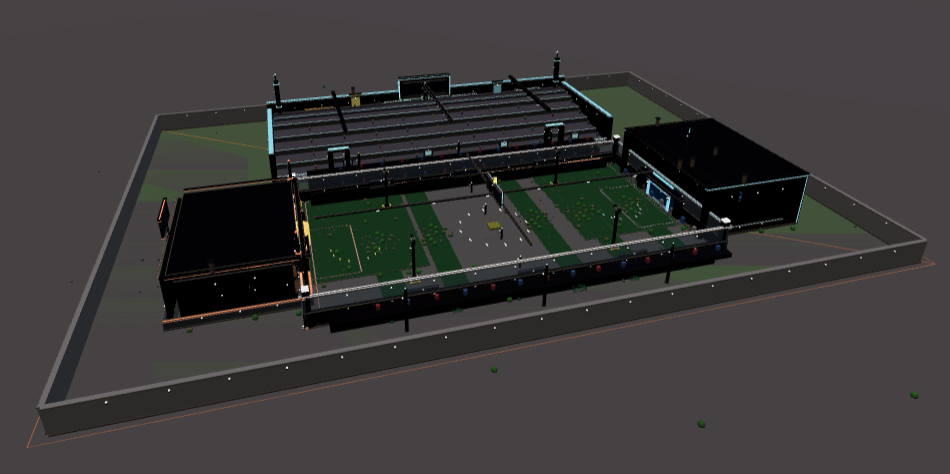
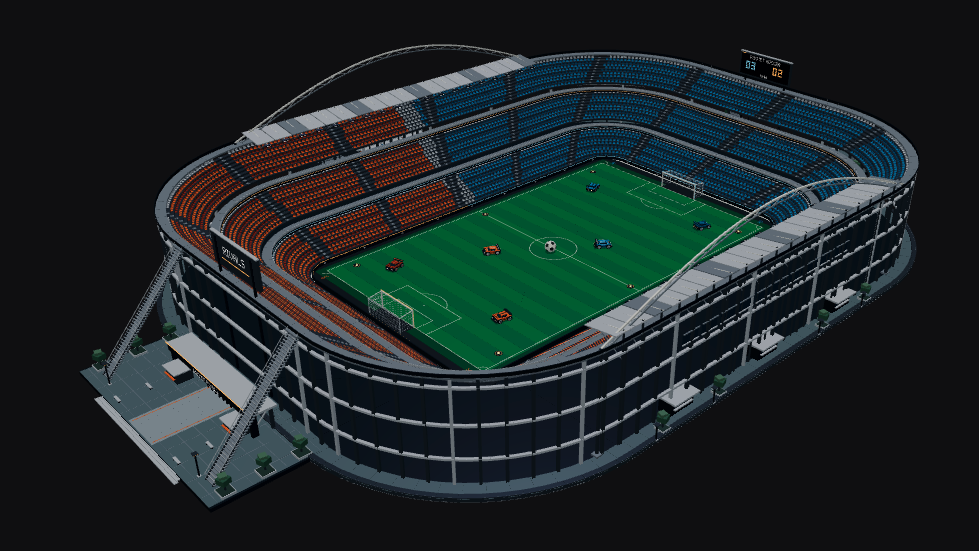
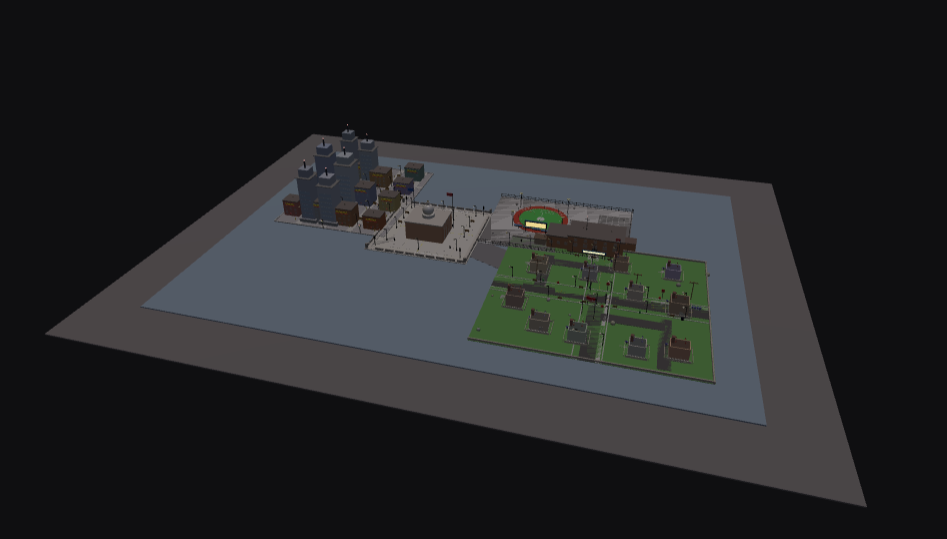
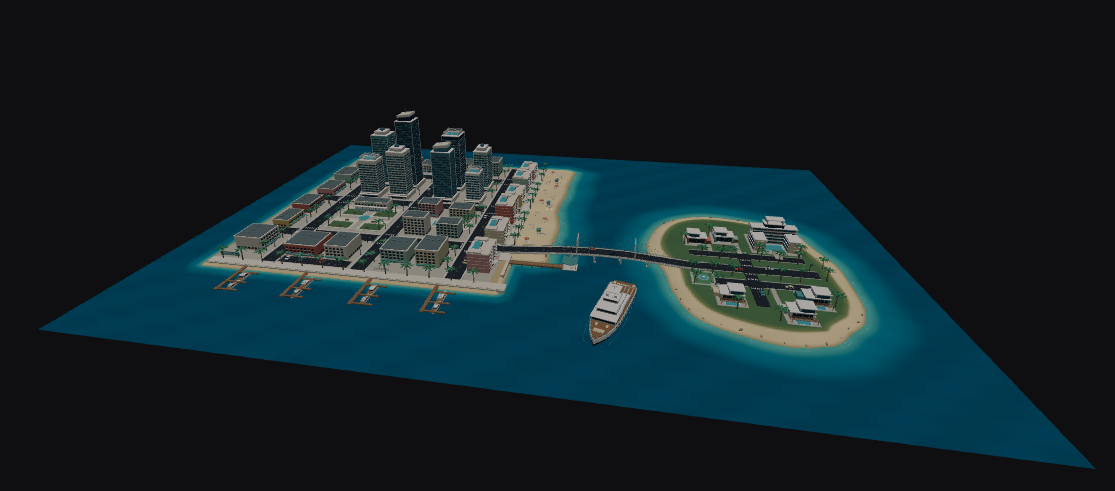
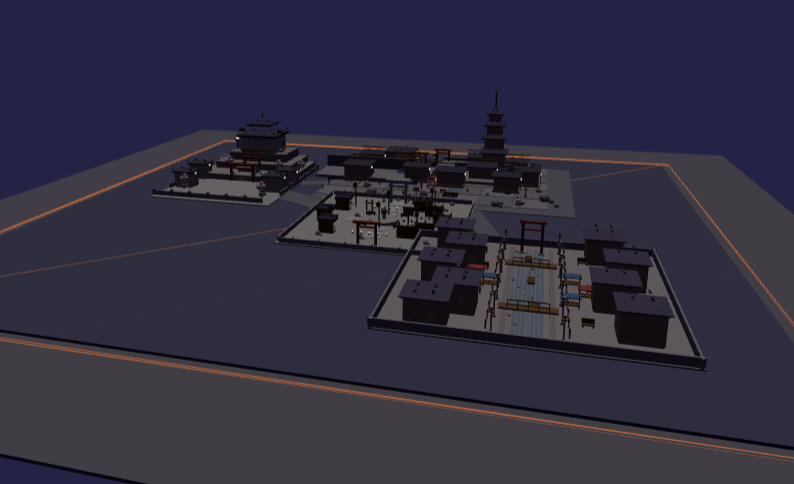
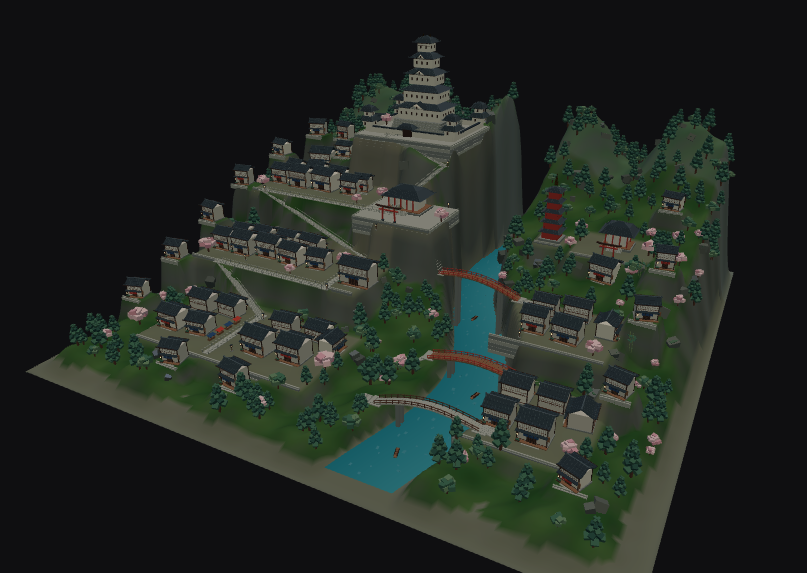
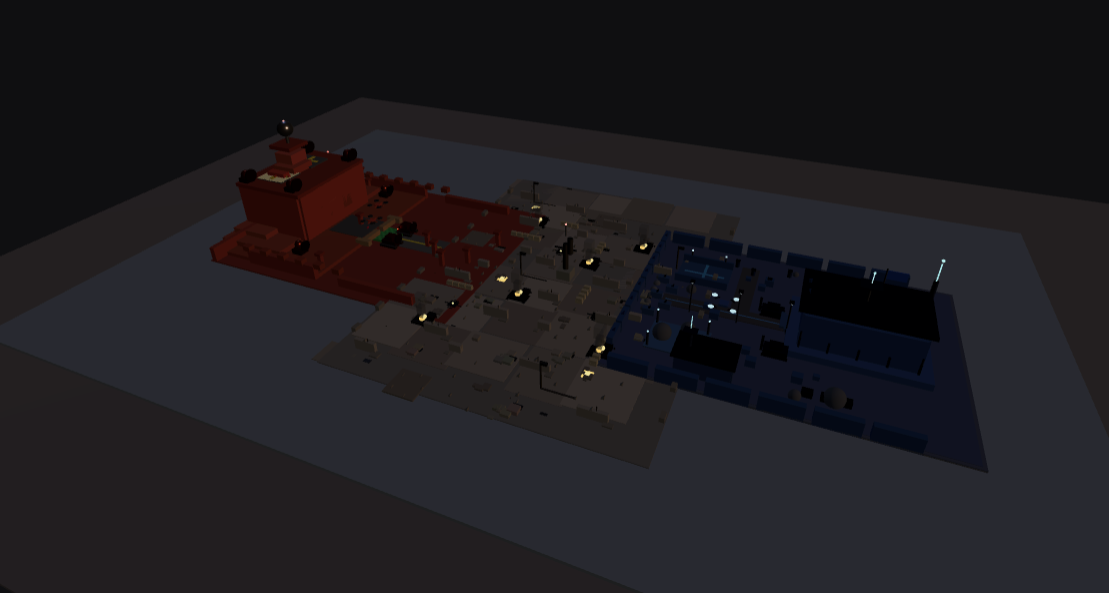
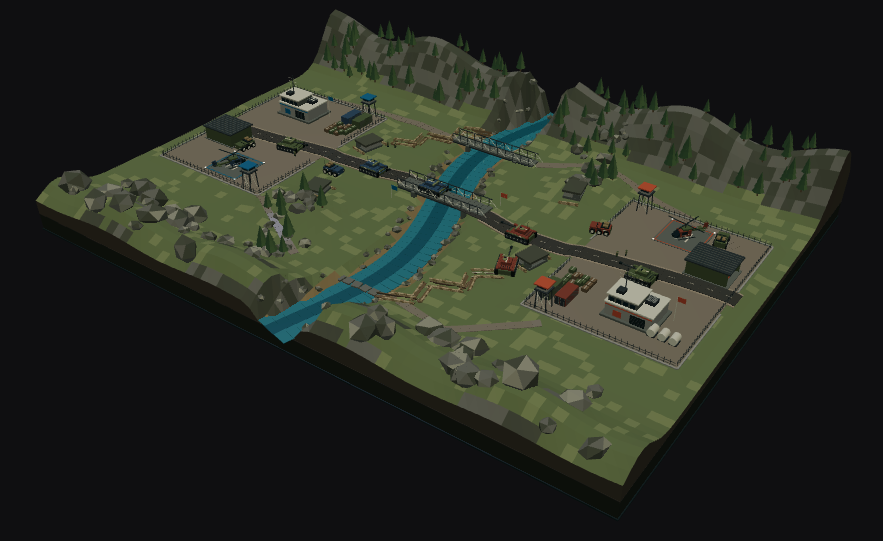
We ran the same four prompts through PromptBlox v1 and v2. Each pair below shows what came back.
A mega stadium with three towering seating tiers, six rocket cars and a long, open pitch.
A coastal city and resort island with sculpted beaches, turquoise shallows and open water.
A Japanese style town rising above a river gorge, with terraced streets, forested cliffs, temples and three connecting bridges.
A large strategic battlefield with opposing bases, river crossings and armored tanks, cars, and helicopters.
Better-looking assets
PromptBlox v2 adds 84 new assets that the agent can place in your game, so forests, coastlines, and roads look more like real places.
Most of the new library is nature. There are 20 canopy trees in different shapes and sizes, and 22 conifers, from pines and ponderosas to Douglas firs, spruces, and redwoods, with snowy versions for colder maps. Willows bring hanging foliage, palms (including a new coconut palm) suit beaches and resorts, and a pair of dead trees help harsher or spookier settings.
Ferns, bushes, and grass clumps fill the space between trees. Thirteen rocks, from mossy boulders to granite and low-poly stones, give terrain more shape, and fallen logs add detail to forest floors and trails.
We have also added four cars: a sports car, two sedans, and a hypercar.
The more you describe the landscape you want, the more PromptBlox has to work with.
Better gameplay from the first build
The map and its gameplay need to work together. We have put more attention into player arrival, usable paths, reachable objectives, and interactions that connect into a complete game loop.
That means treating a doorway as something a player needs to pass through, a shop as something they can use, and a reward as part of the activity they just completed. The goal is a stronger starting point for a playable game, alongside better-looking environments.
Playtest your exported game in Roblox Studio and refine anything that needs tuning.
Generation speed improvements
We have reduced repeated work during generation and improved how build steps pass useful information forward. This helps PromptBlox spend more of the build on your world and its gameplay.
Build time still depends on your chosen quality level, the scope of the request, and the work needed. A small prototype and a detailed city are different jobs, so there is no single promised completion time.
Live progress lets you follow the work as it happens. You can watch the map take shape and send instructions while the build runs to help steer the result.
More focused refinements
Refinements follow the change you requested more closely, using relevant context from the existing game. The aim is to spend less time and usage on unrelated work while preserving the parts you want to keep.
You will also see clearer summaries of what changed. Describe the area or system you want to improve, the result you want, and what should stay the same. Then playtest that change before moving on to the next one.
Saved drafts and continuation
You can return to saved drafts from Library and revisit saved versions through History. Stopping a build no longer has to mean starting the idea again from scratch: when retained progress is available, Continue build picks up from that work.
Continuation depends on the progress the build has saved and your available allowance. The workspace shows the available recovery or continuation options for that build. Continuing uses allowance for the additional work.
Animate the Build lets you replay how a saved world came together. It is a replay of the construction, separate from playing the game itself.
Game Graph and imports
See how your game fits together
Game Graph gives you another way to explore a saved world: its areas, objects, and gameplay systems, and the relationships between them. Use it to understand a build and focus a refinement on the part you want to change.
The graph helps PromptBlox retrieve relevant context for edits. It describes the game's structure; it does not replace a playtest.
Bring an existing game
Upload a Roblox place saved as an .rbxlx file to create a new project that you can inspect and refine in PromptBlox. The game importer accepts .rbxlx files up to 25 MB. Save a binary .rbxl place as .rbxlx in Roblox Studio before uploading.
Uploading a game does not use generation allowance. Refinements you request afterward use your available allowance. Keep your original file and check the imported result in Roblox Studio, especially if it uses custom assets or systems.
Add files as context
Attach an .rbxlx reference game or .txt and .md notes to help describe a refinement. Reference files give the build context; they are separate from importing a game as a new project.
Game Graph, game import, and file-context controls are part of the v2 rollout. Their availability follows the features enabled for your workspace.
Usage that reflects the work
Usage allowances replace fixed credit charges per build. Builds and refinements draw from your allowance according to the selected build quality and the work required. Simpler requests generally use less; larger requests with more features can use more.
The usage bar shows the percentage of your regular allowance remaining and its next reset. Your subscription determines that allowance. Extra credits are a separate balance, used after your regular allowance, and are not erased by its weekly reset.
Free-access limits
Free accounts start with Light and a limited weekly usage allowance. It is a way to try PromptBlox and build focused ideas, rather than a promise of unlimited generation or a fixed number of free games.
- Builds and refinements both draw from your available allowance.
- Your usage bar shows what remains and when it resets. Unused weekly allowance does not accumulate across weeks.
- When there is not enough allowance to begin more work, wait for the reset or choose a suitable paid plan.
- Free access also has shared capacity limits. Generation can be temporarily unavailable even when an individual account still has allowance; the app will explain when this happens.
- Continuing a saved build is additional work and needs available allowance too.
Check the limits and options shown in your account before starting a larger project.
A better starting prompt
The new Prompt Guide is a copyable Markdown document you can give to your preferred AI assistant. It helps turn an idea into a focused build prompt covering the world, player loop, interactions, controls, and first-version priorities.
It includes an architectural world example, a reusable template, and a way to describe refinements that preserve what already works. Find it under Docs → Prompt guide.
Thank you for building with us. We are looking forward to seeing the worlds you make with PromptBlox v2.0.
Start with a clearer idea.